





Understanding an Alert
Every alert compares one reading from one sensor to a limit you set. Here’s how to read what an alert is telling you, and what each part of the screen means.

What sets off an alert
- One reading, one limit. Each alert watches one reading, like the pipe strap temperature, the air temperature or the humidity, and a limit: above it or below it.
- Readings arrive on a schedule. Your Temp Stick checks in regularly (often every 30 or 60 minutes) and sends its latest readings. When one is past the limit, the alert triggers. Depending on the alert’s settings, it can wait for more than one reading past the limit first, so a brief dip doesn’t set it off.
- “Next reading in 23 minutes” on the alert tells you when the sensor checks in next, which is when you’ll see a change.
Reading the card
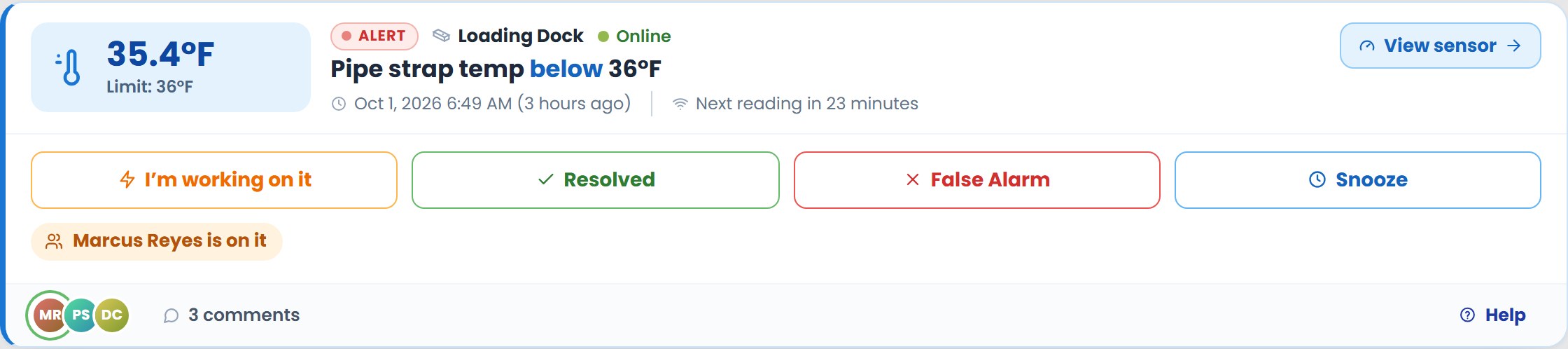
- 35.4°F · Limit: 36°F
- The latest reading, and the limit the alert is set at.
- Loading Dock · Online
- The sensor’s name and whether it’s checking in. How to find the sensor
- Pipe strap temp below 36°F
- What the alert watches, which way it went, and the limit.
- Oct 1, 2026 6:49 AM (3 hours ago)
- When the alert triggered, and how long ago that was.
- Next reading in 23 minutes
- When the sensor checks in next.
- Marcus Reyes is on it
- Who has taken the alert. Until someone does, it says “No one has taken this yet”.
- The icons and comments
- The people the alert was sent to, and how many messages the team has written about it.
The colors
Red
Out of range: the reading is past its limit, like a temperature above its limit or humidity too high.
Blue
Too cold: a temperature that has dropped below its limit. For sprinkler pipes, this is the one to act on quickly. What to do
Green
Back in range: the reading has recovered. The alert still needs someone to close it and say what happened.
Pipe strap temperature or air temperature?
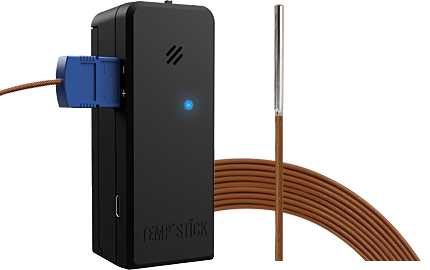
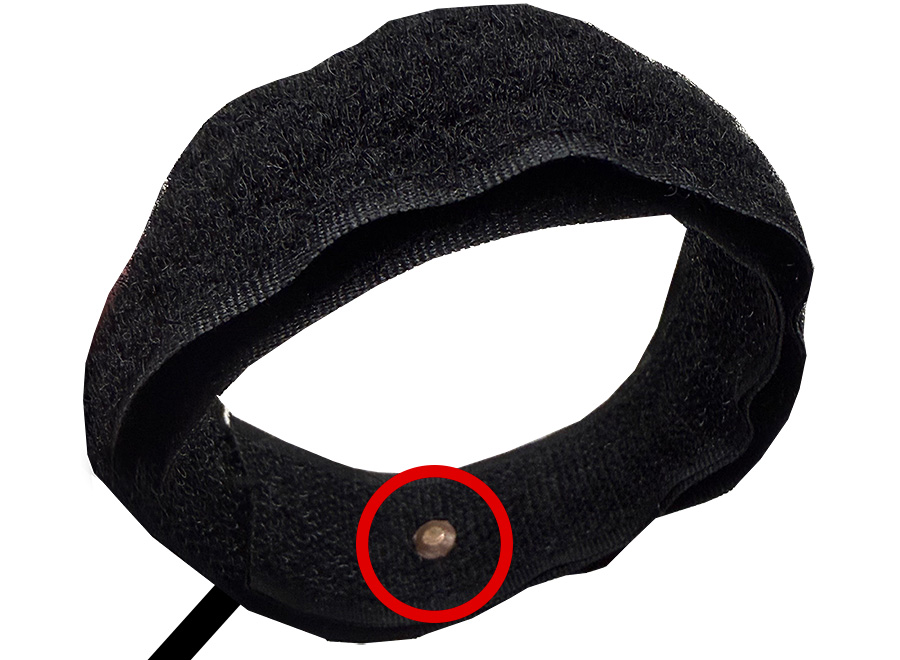
“Pipe strap temp” is the copper sensor inside the Velcro strap wrapped around the pipe. It reads the temperature of the pipe itself.
“Temperature” is the air around the Temp Stick, where it’s mounted.
A pipe along an exterior wall, or near a door that’s left open, can be colder than the room’s air. That’s why freeze alerts usually watch the pipe strap.
The chart
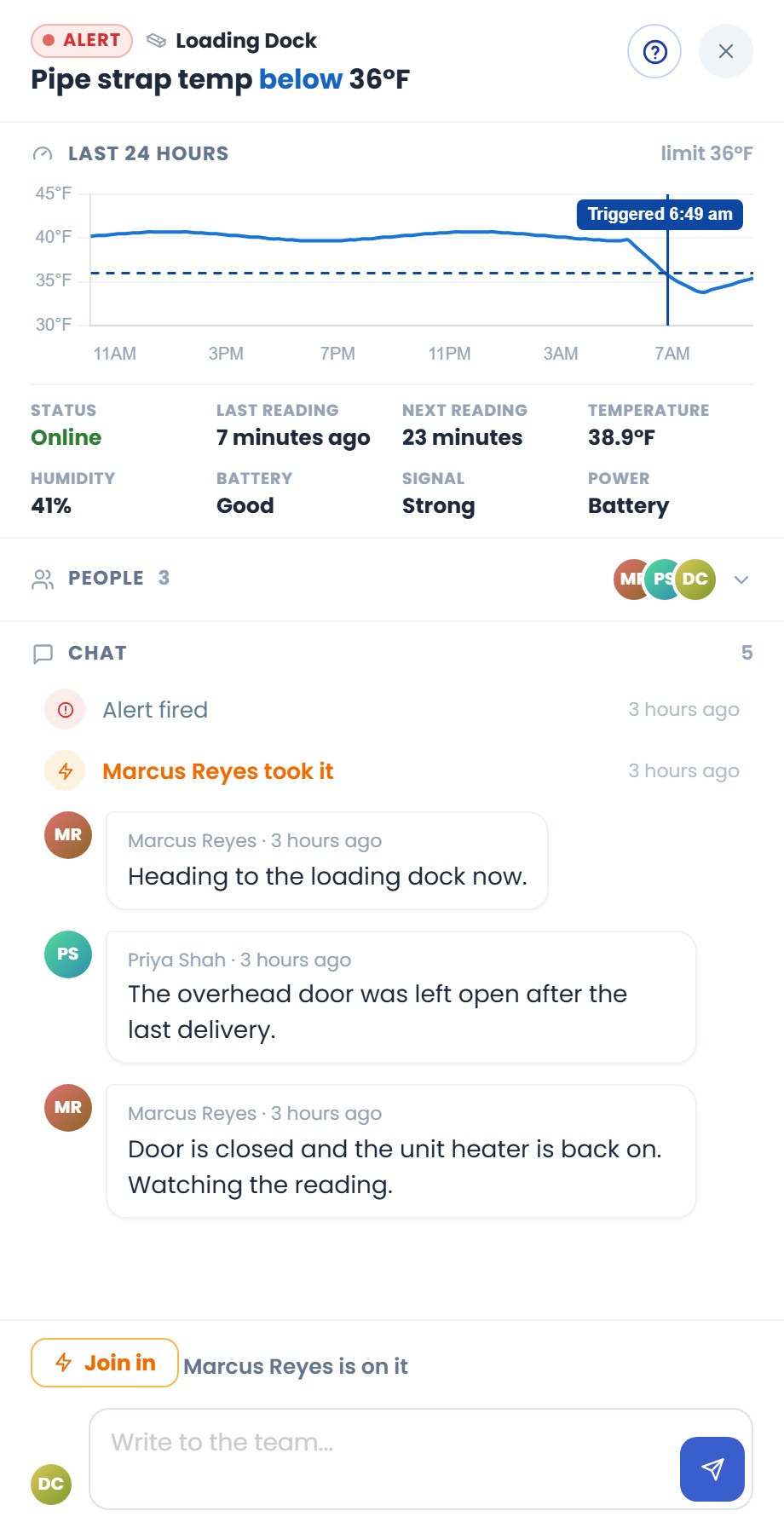
Tap the alert to open its details. The chart shows the reading over the last day (or longer, for an older alert):
- The dashed line is the limit.
- The line down the chart marks when the alert triggered.
- Under the chart, the sensor right now: status, last and next reading, battery, WiFi signal and power.
The shape tells you a lot: a slow slide through the evening points to heat that’s not keeping up; a sudden drop points to a door or window opening.
How you’re told
Each alert is sent to its contacts by text message, email and push notification, depending on how the alert is set up and what each contact has agreed to receive. A text reads like this:
Temp Stick: Loading Dock: Pipe strap temp below 36 F (35.4 F)
That’s the sensor, what the alert watches, the limit, and the reading that set it off. Not getting your alerts? Try these steps.